ulives 1.7.0: قوائم إنجاز، تواريخ عد تنازلي، تركيز أسرع، وتحكم أكثر
ulives 1.7.0 إصدار عملي. لم يكن الهدف حشو المزيد من الإعدادات لمجرد ذلك. كان الهدف إزالة الاحتكاك في أماكن يلمسها الناس طوال الوقت: تخطيط معالم الحياة، تحويل الأهداف إلى قوائم، بدء جلسة تركيز بسرعة، وتشكيل التطبيق حول التفضيل الشخصي.

1) قوائم الإنجاز أصبحت أقرب للحياة الواقعية
في الإعدادات الأقدم، عملت الإنجازات جيدًا للمعالم التي يمكن عدّها أو فتحها مرة واحدة. لكن بعض الأهداف لا تشعر كإنجازات تقليدية. تشبه أكثر bucket list أو مجموعة شخصية أو تاريخًا مهمًا تريد إبقاءه في المقدمة.
هذا هو الموضوع الرئيسي لتحديث الإنجازات في 1.7.0.
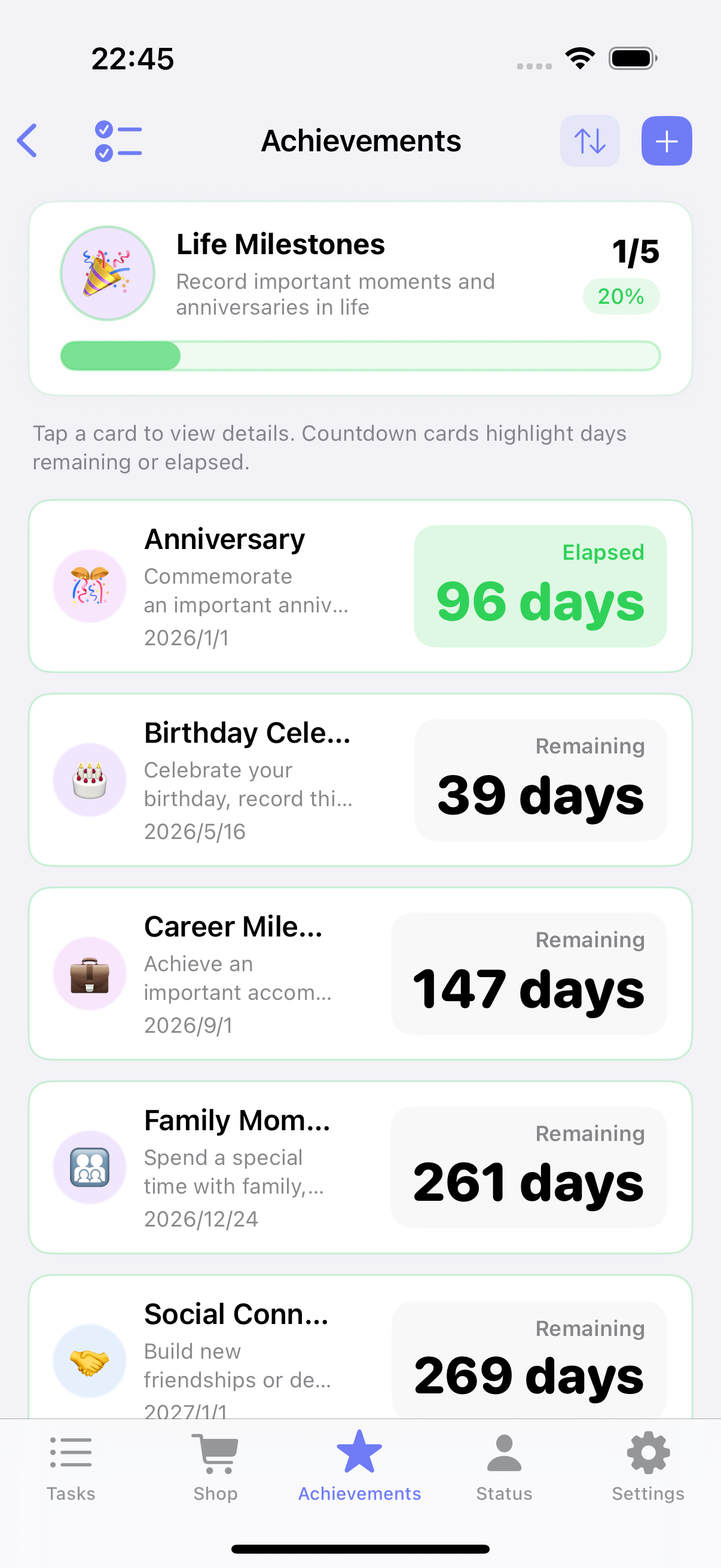
تواريخ عد تنازلي للمعالم والذكرى
بعض الأهداف تدور حول تاريخ، لا حول مجموع نقاط. قد تريد تتبّع تاريخ التخرّج أو ذكرى أو رحلة أو يوم إطلاق مشروع. البطاقة القياسية لا تعرض ذلك جيدًا.
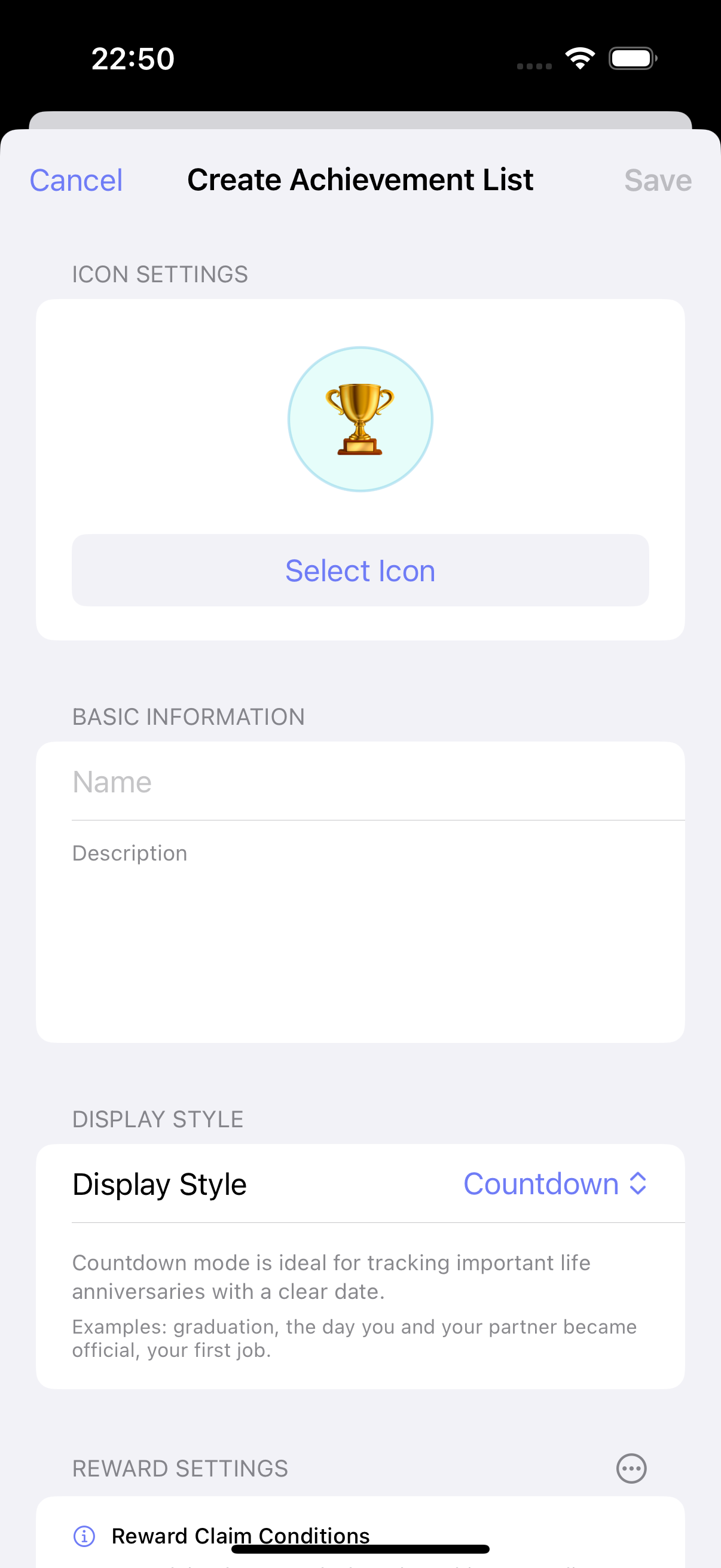
يضيف ulives 1.7.0 وضع عرض عد تنازلي لقوائم الإنجاز. يمكنك تعيين تاريخ مستهدف لكل مدخل ورؤية الأيام المتبقية بنظرة. بعد مرور التاريخ أو إكمال العنصر، يمكن للتطبيق أيضًا إظهار كم يومًا مضى منذ تلك اللحظة.
يجعل ذلك الميزة مفيدة لـ:
- الذكرى وأعياد الميلاد
- خطط السفر وفعاليات المعالم
- أهداف شخصية طويلة الأمد بتاريخ مستهدف واضح
أثناء إعداد النسخة الإنجليزية، لاحظنا أيضًا أن منطقة الاسم والوصف الحالية على بطاقات العد التنازلي ضيقة بعض الشيء للنص الإنجليزي الأطول. نخطط لتحسين ذلك التخطيط في إصدار لاحق حتى تتنفس هذه المدخلات أكثر قليلًا.
قوائم capsules وقوالب وإنشاء دفعة
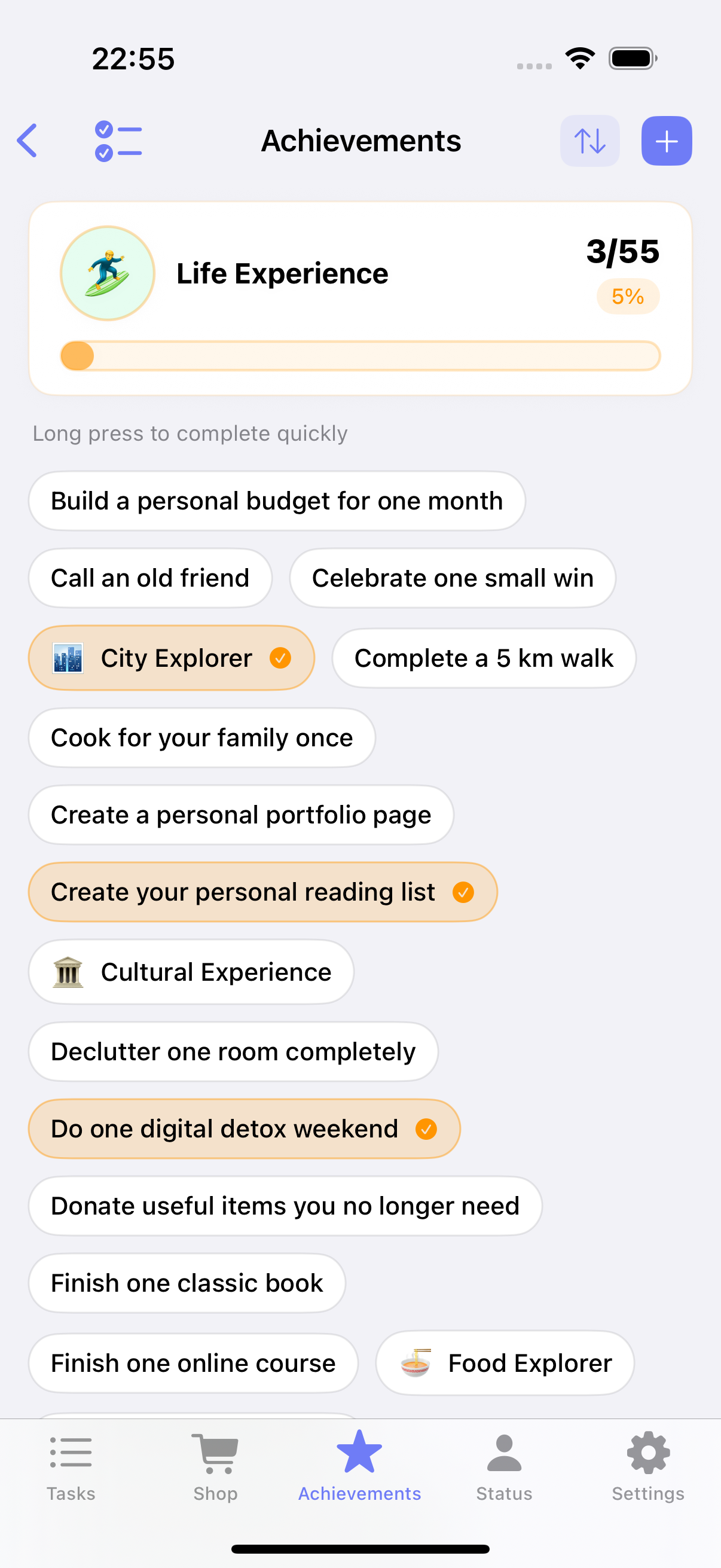
أهداف أخرى ليست مدفوعة بالتاريخ. هي أفضل كمجموعة خفيفة: كتب للقراءة، أماكن للزيارة، تجارب حياتية للتجربة، أو وعود صغيرة تريد الالتزام بها لنفسك.
هنا يساعد وضع checklist capsule الجديد. بدل تخطيط بطاقات ثقيل، يمكن عرض العناصر ككبسولات مدمجة. النتيجة أكثر كثافة وأسهل للمسح وأقرب بكثير لكيفية تفكير الناس طبيعيًا في القوائم الشخصية.
يجعل 1.7.0 أيضًا بناء هذه القوائم أسرع:
- قوالب مدمجة تعطيك نقطة بداية
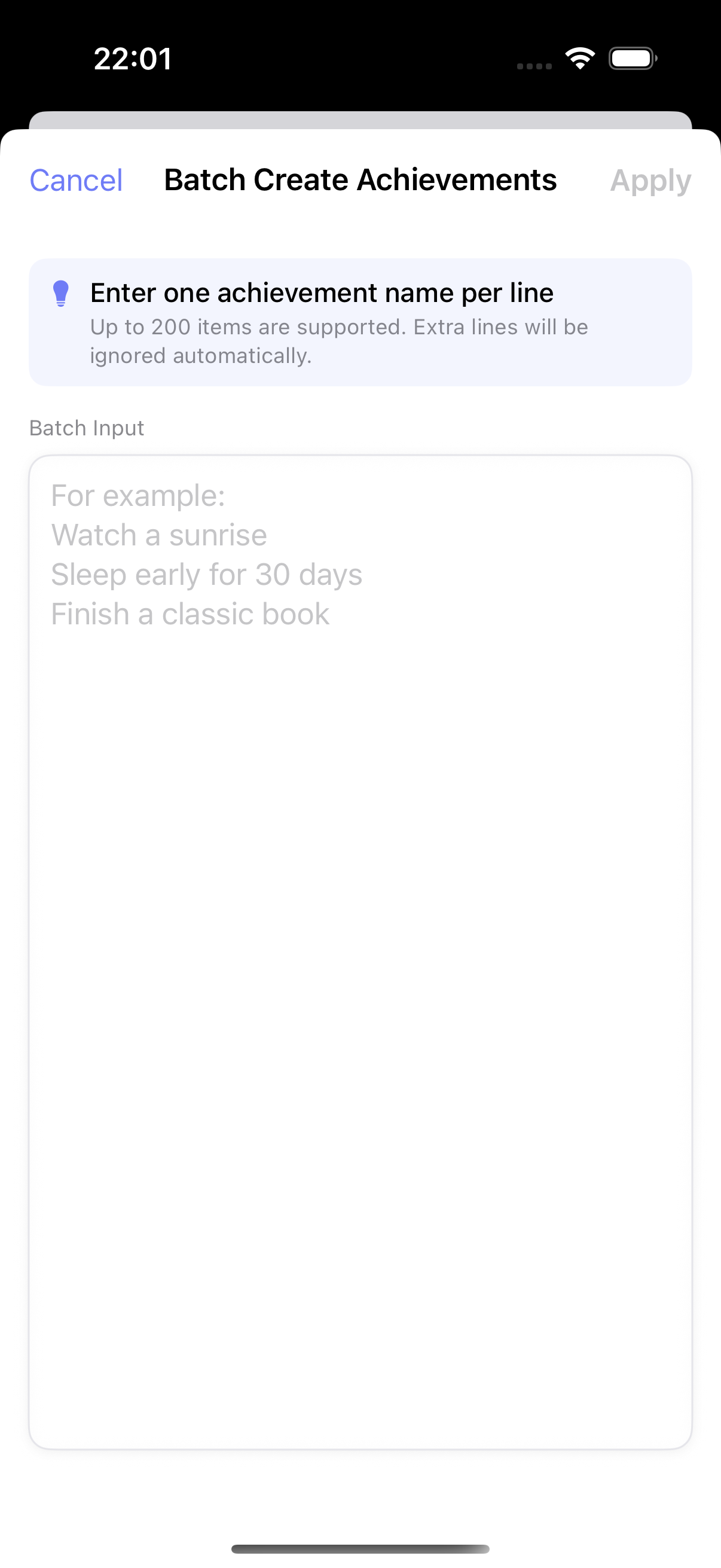
- الإنشاء الدفعي يتيح لصق عدة مدخلات دفعة واحدة
- بنية checklist تعمل أفضل للتحرير المتكرر والتنظيف
2) بدء التركيز أسرع بكثير الآن
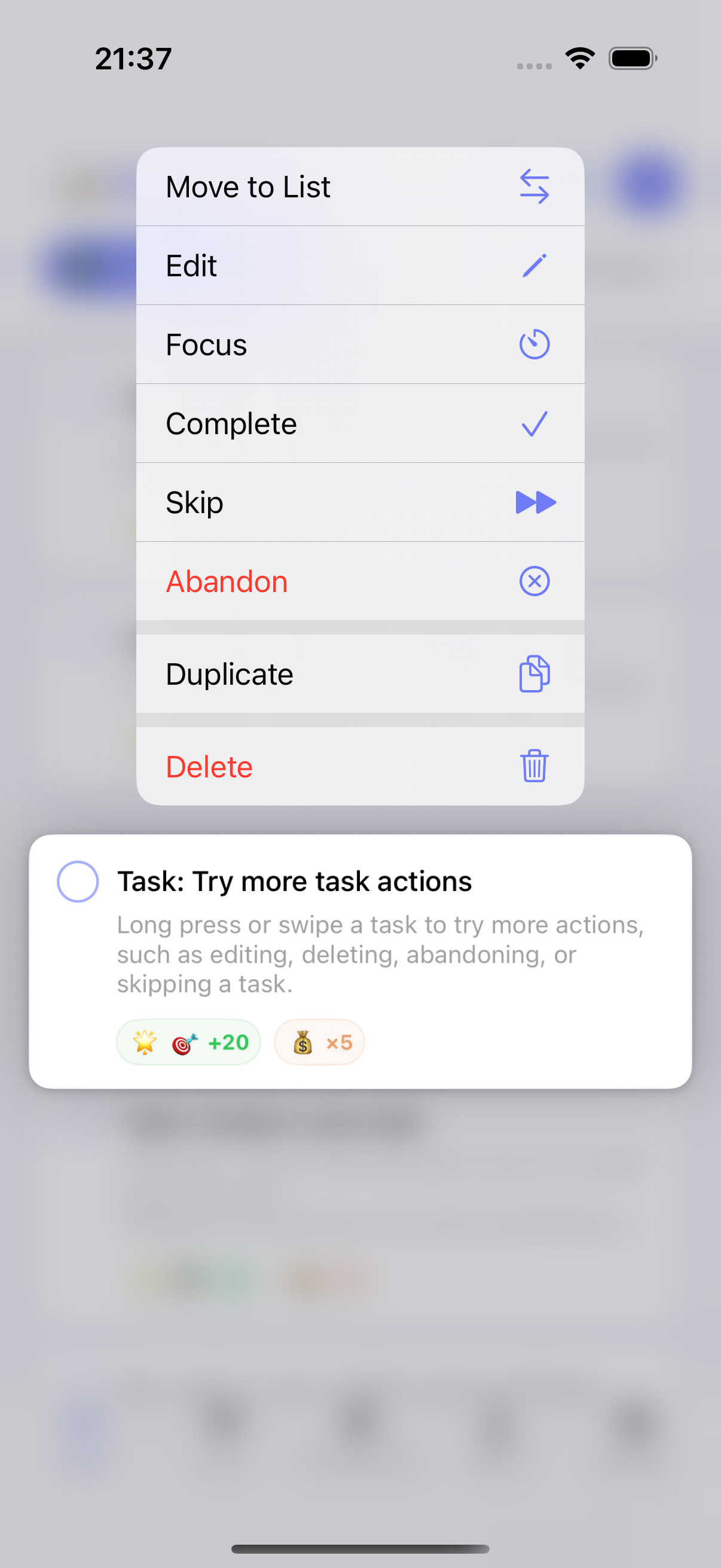
ملاحظة واحدة تكررت: مهام التركيز كانت مرنة، لكنها تشعر بخطوة عن مهام عادية. إذا كان لدى شخص مهمة على الشاشة الرئيسية، غالبًا يريد القفز إلى التركيز فورًا بدل إنشاء مهمة تركيز منفصلة أولًا.
في 1.7.0، يمكنك الآن الضغط مطولًا على مهمة عادية والنقر Focus لإنشاء واستخدام مهمة تركيز مرتبطة بسرعة.
نظّفنا أيضًا سير العمل المحيط:
- عند اختيار مهمة تركيز، يمكنك رؤية مدة التركيز التراكمية لكل مهمة
- إدارة مهام التركيز أوضح، بما في ذلك منطقة أرشيف مخصّصة
- ضُبطت تفاصيل UI ذات الصلة لتقليل احتكاك الإعداد
تغيير صغير على الورق، لكنه مهم في الاستخدام اليومي. أدوات التركيز تفيد فقط عندما تكون سريعة بما يكفي للبدء.
3) التغذية الراجعة الصوتية أصبحت قابلة للتخصيص
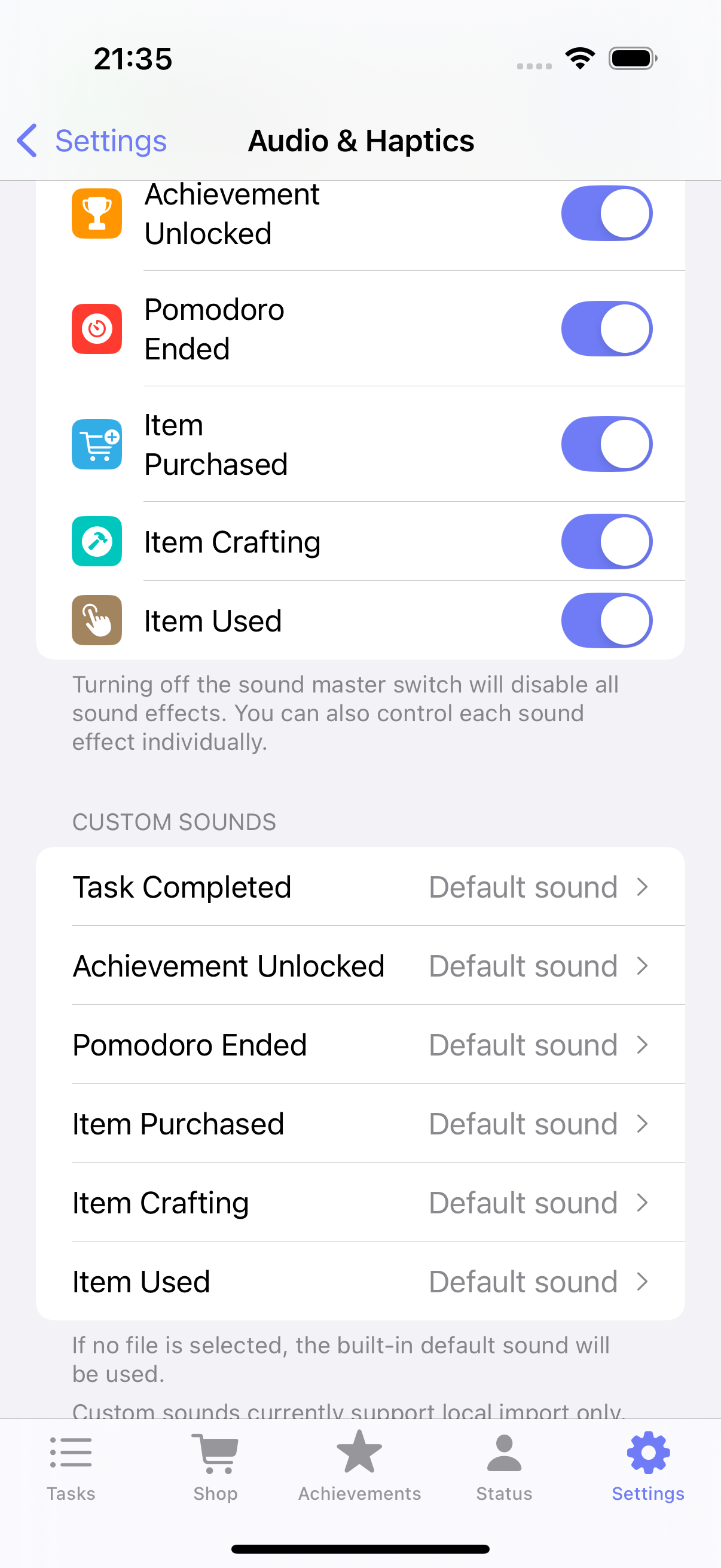
تعمل gamification أفضل عندما تشعر التغذية الراجعة شخصية. بعض الناس يريدون تغذية راجعة أخف. بعضهم يريد إشارات صوتية أقوى للإكمال أو الفتح أو استخدام العناصر. بعضهم يريد فقط أن تشعر إجراءات العناصر بمزيد من المرح.
يضيف ulives 1.7.0 تحكمًا أكثر هنا:
- مؤثرات صوتية مخصّصة للتطبيق للأحداث الرئيسية
- إعدادات مؤثرات صوتية منفصلة لاستخدام العناصر
- حرية أكبر لمطابقة أسلوب التغذية الراجعة مع روتينك
مثال بسيط: قد تريد صوتًا أكثر إرضاءً لاستخدام عنصر مكافأة، مع إبقاء إكمال المهام أهدأ خلال ساعات العمل.
4) صفحة الحالة يمكن أن تعكس أولوياتك
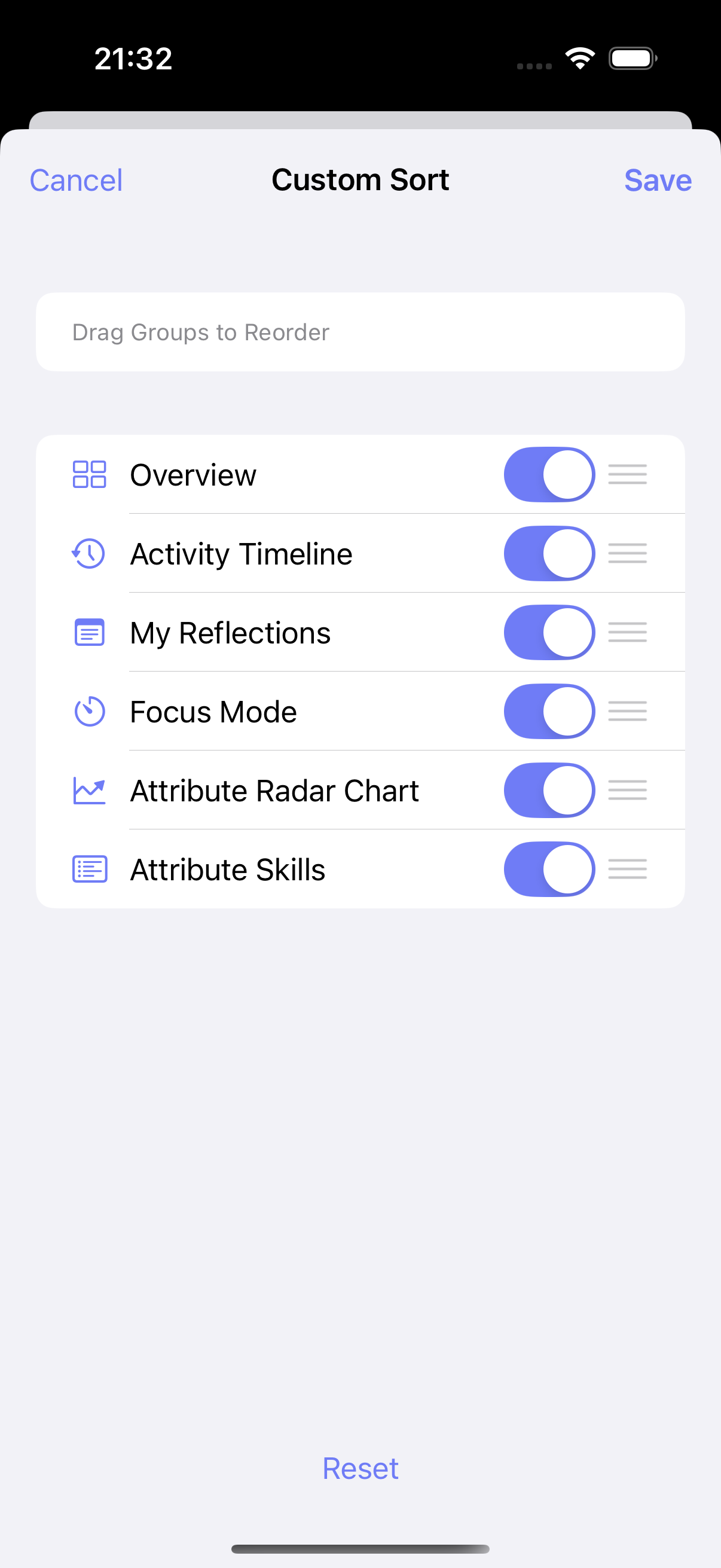
ليس الجميع يستخدم ulives بنفس الطريقة. بعضهم يتحقق من timeline أولًا. آخرون يهتمون أكثر بإحصائيات التركيز أو السمات أو التأملات. ترتيب ثابت يجعل جزءًا من التطبيق مناسبًا بينما يشعر جزء آخر دائمًا بأنه غير مناسب قليلًا.
في 1.7.0، تدعم صفحة الحالة فرزًا مخصّصًا. يمكنك نقل الأقسام الأهم إلى الأعلى وجعل شاشة النظرة العامة أقرب إلى لوحة تحكم خاصة بك.
ميزة متواضعة، لكنها تحل إزعاجًا حقيقيًا: الحاجة للتمرير فوق معلومات نادرًا ما تستخدمها للوصول إلى ما يهمك فعلًا.
إصدار أصغر، لكن أكثر قابلية للاستخدام
هذه قصة ulives 1.7.0. يركز الإصدار على أفكار عملية قليلة:
- أهداف الحياة لا ينبغي إجبارها في تنسيق إنجاز واحد جامد
- يجب أن يبدأ التركيز بسرعة من المهام التي لديك بالفعل
- يجب أن يتكيف الصوت والتخطيط مع الشخص الذي يستخدم التطبيق
إذا كنت تستخدم ulives بالفعل، يفترض أن يشعر هذا الإصدار بأنه أسهل للعيش معه. إذا كنت تبحث عن تطبيق إنتاجية gamified يتعامل مع المهام اليومية وأهداف الحياة طويلة الأمد، 1.7.0 نقطة بداية جيدة.