ulives 1.7.0: checklist pencapaian, tanggal hitung mundur, fokus lebih cepat, dan kontrol lebih banyak
ulives 1.7.0 adalah rilis praktis. Tujuannya bukan menambah pengaturan demi pengaturan. Tujuannya adalah menghilangkan gesekan di beberapa tempat yang sering disentuh: merencanakan milestone hidup, mengubah tujuan menjadi checklist, memulai sesi fokus dengan cepat, dan membentuk aplikasi sesuai preferensi pribadi.

1) Checklist pencapaian kini lebih sesuai kehidupan nyata
Dalam pengaturan lama, pencapaian bekerja baik untuk milestone yang bisa dihitung atau di-unlock sekali. Tetapi beberapa tujuan tidak terasa seperti pencapaian tradisional. Mereka terasa lebih seperti bucket list, koleksi pribadi, atau tanggal penting yang ingin Anda simpan dalam pandangan.
Itulah tema utama pembaruan pencapaian 1.7.0.
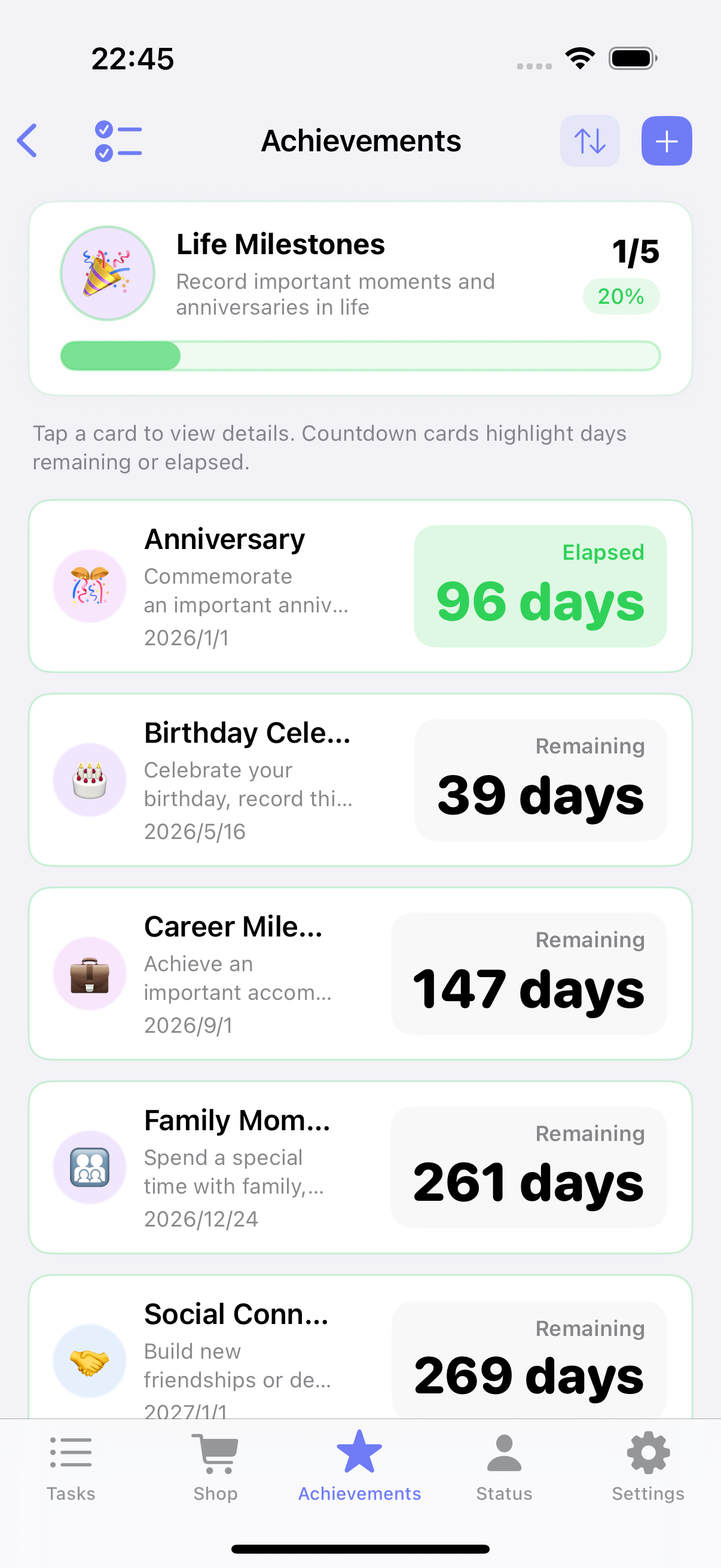
Tanggal hitung mundur untuk milestone dan peringatan
Beberapa tujuan berpusat pada tanggal, bukan total poin. Anda mungkin ingin melacak tanggal wisuda, peringatan, perjalanan, atau hari peluncuran proyek. Kartu standar tidak menampilkannya dengan baik.
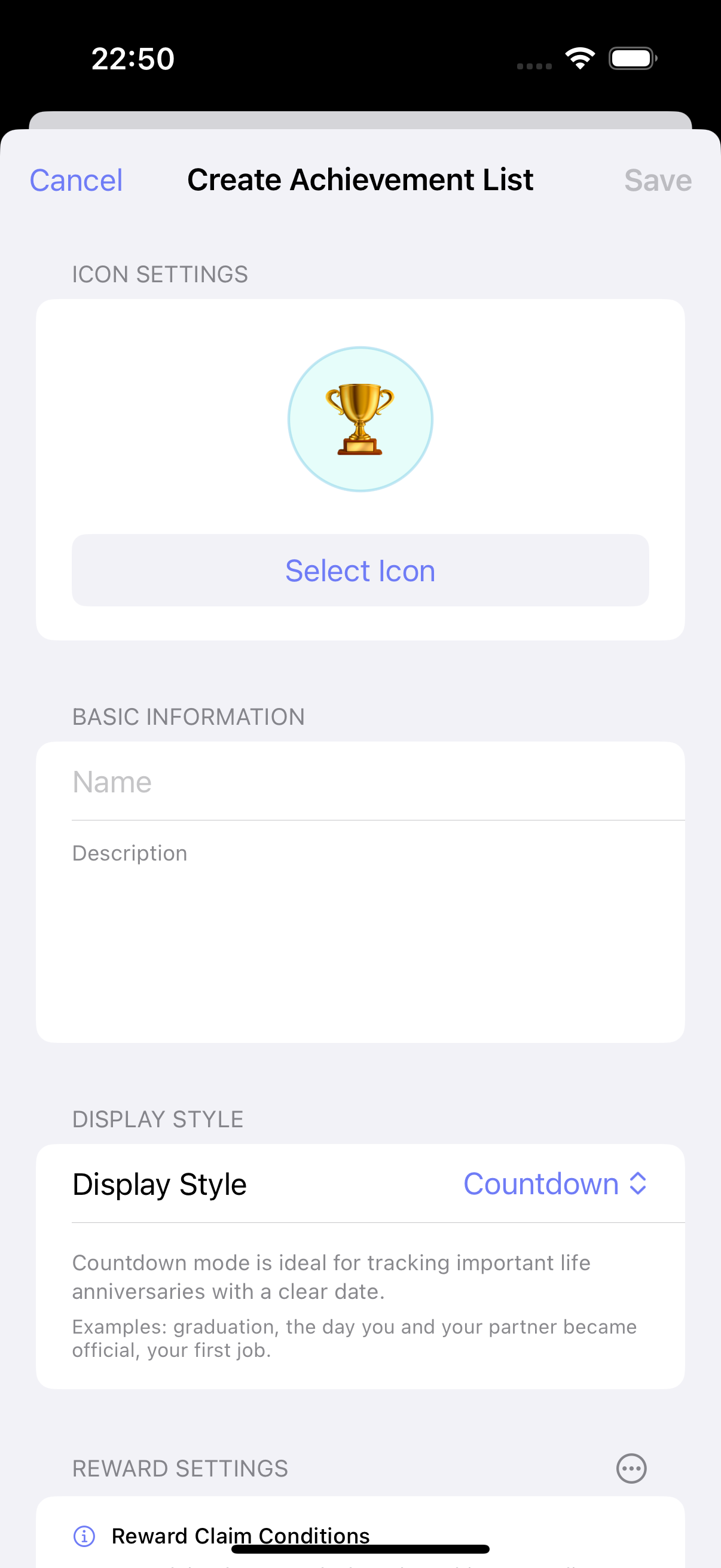
ulives 1.7.0 menambahkan mode tampilan hitung mundur untuk checklist pencapaian. Anda dapat menetapkan tanggal target ke setiap entri dan melihat sisa hari sekilas. Setelah tanggal lewat atau item selesai, aplikasi juga dapat menampilkan berapa hari telah berlalu sejak momen itu.
Ini membuat fitur berguna untuk:
- peringatan dan ulang tahun
- rencana perjalanan dan acara milestone
- tujuan pribadi jangka panjang dengan tanggal target yang jelas
Saat menyiapkan versi Inggris, kami juga menyadari bahwa area nama dan deskripsi saat ini pada kartu hitung mundur agak terlalu sempit untuk teks Inggris yang lebih panjang. Kami berencana memperbaiki tata letak itu di rilis berikutnya agar entri ini bisa bernapas sedikit lebih lega.
Daftar kapsul, template, dan pembuatan batch
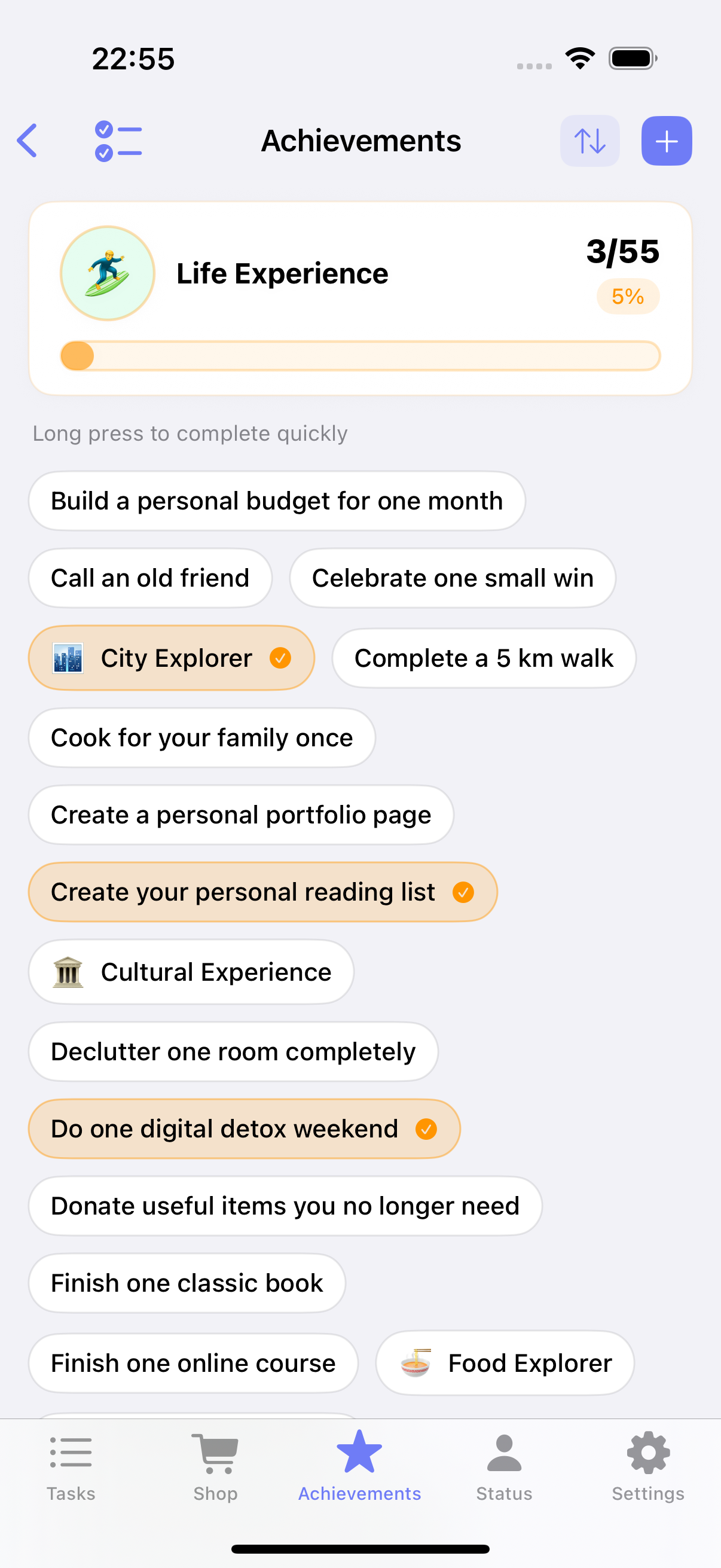
Tujuan lain tidak didorong oleh tanggal. Mereka lebih baik sebagai koleksi ringan: buku untuk dibaca, tempat untuk dikunjungi, pengalaman hidup untuk dicoba, atau janji kecil yang ingin Anda pegang pada diri sendiri.
Di sinilah mode checklist kapsul baru membantu. Alih-alih tata letak kartu yang berat, item dapat ditampilkan sebagai kapsul kompak. Hasilnya lebih padat, lebih mudah discan, dan jauh lebih dekat dengan cara alami orang memikirkan daftar pribadi.
1.7.0 juga membuat daftar ini lebih cepat dibangun:
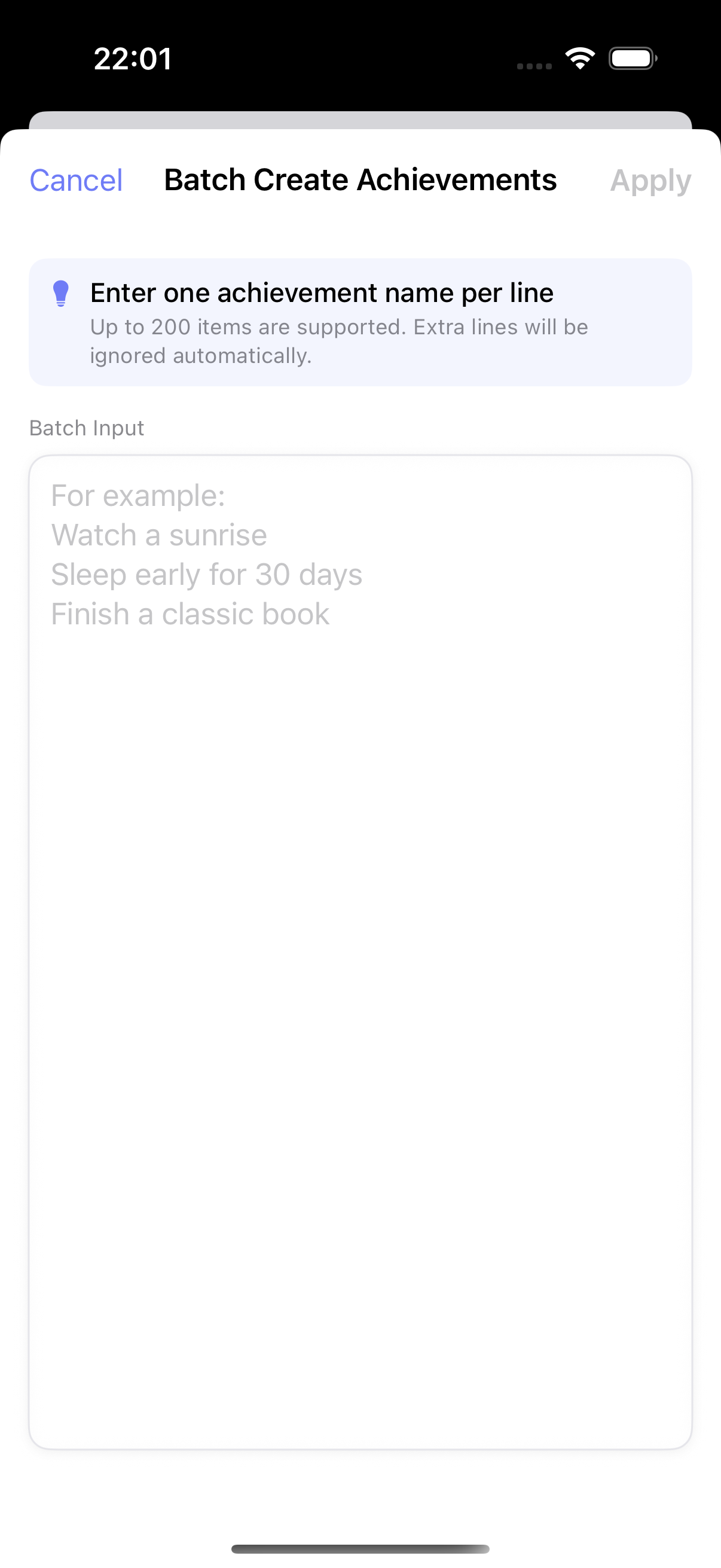
- template bawaan memberi titik awal
- pembuatan batch memungkinkan Anda menempel banyak entri sekaligus
- struktur checklist bekerja lebih baik untuk pengeditan dan pembersihan berulang
2) Memulai fokus jauh lebih cepat sekarang
Satu masukan terus muncul: tugas fokus fleksibel, tetapi terasa satu langkah terpisah dari tugas biasa. Jika seseorang sudah punya tugas di layar utama, mereka sering ingin langsung fokus alih-alih membuat tugas fokus terpisah dulu.
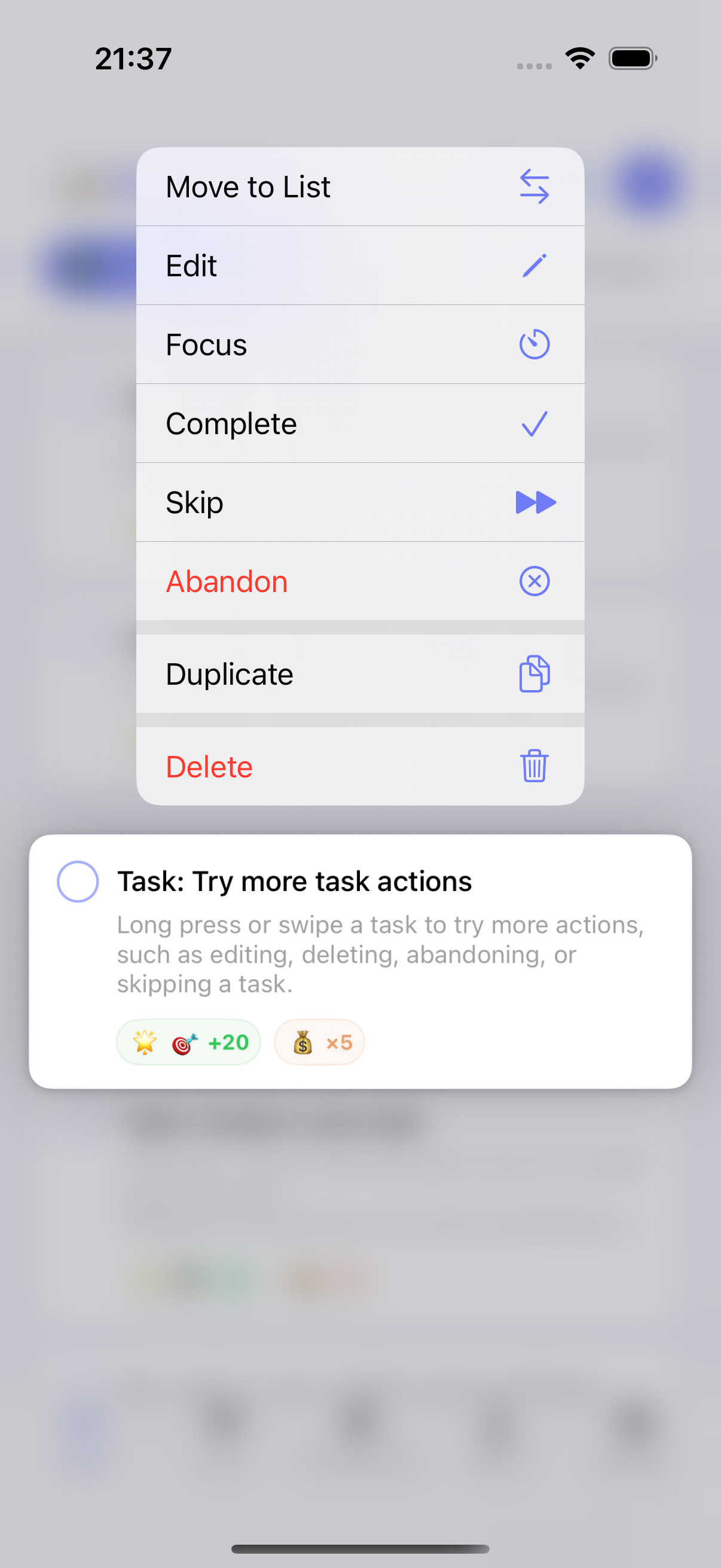
Di 1.7.0, Anda kini dapat long-press tugas biasa dan ketuk Focus untuk dengan cepat membuat dan menggunakan tugas fokus terkait.
Kami juga membersihkan alur kerja di sekitarnya:
- saat memilih tugas fokus, Anda dapat melihat durasi fokus kumulatif untuk setiap tugas
- manajemen tugas fokus lebih jelas, termasuk area arsip khusus
- detail UI terkait disesuaikan untuk mengurangi gesekan setup
Ini perubahan kecil di atas kertas, tetapi penting dalam penggunaan harian. Alat fokus hanya membantu jika cukup cepat untuk dimulai.
3) Umpan balik suara kini dapat dikustomisasi
Gamifikasi bekerja lebih baik ketika umpan balik terasa personal. Beberapa orang ingin umpan balik lebih lembut. Beberapa ingin isyarat audio lebih kuat untuk penyelesaian, unlock, atau penggunaan item. Beberapa hanya ingin aksi item terasa lebih playful.
ulives 1.7.0 menambahkan kontrol lebih di sini:
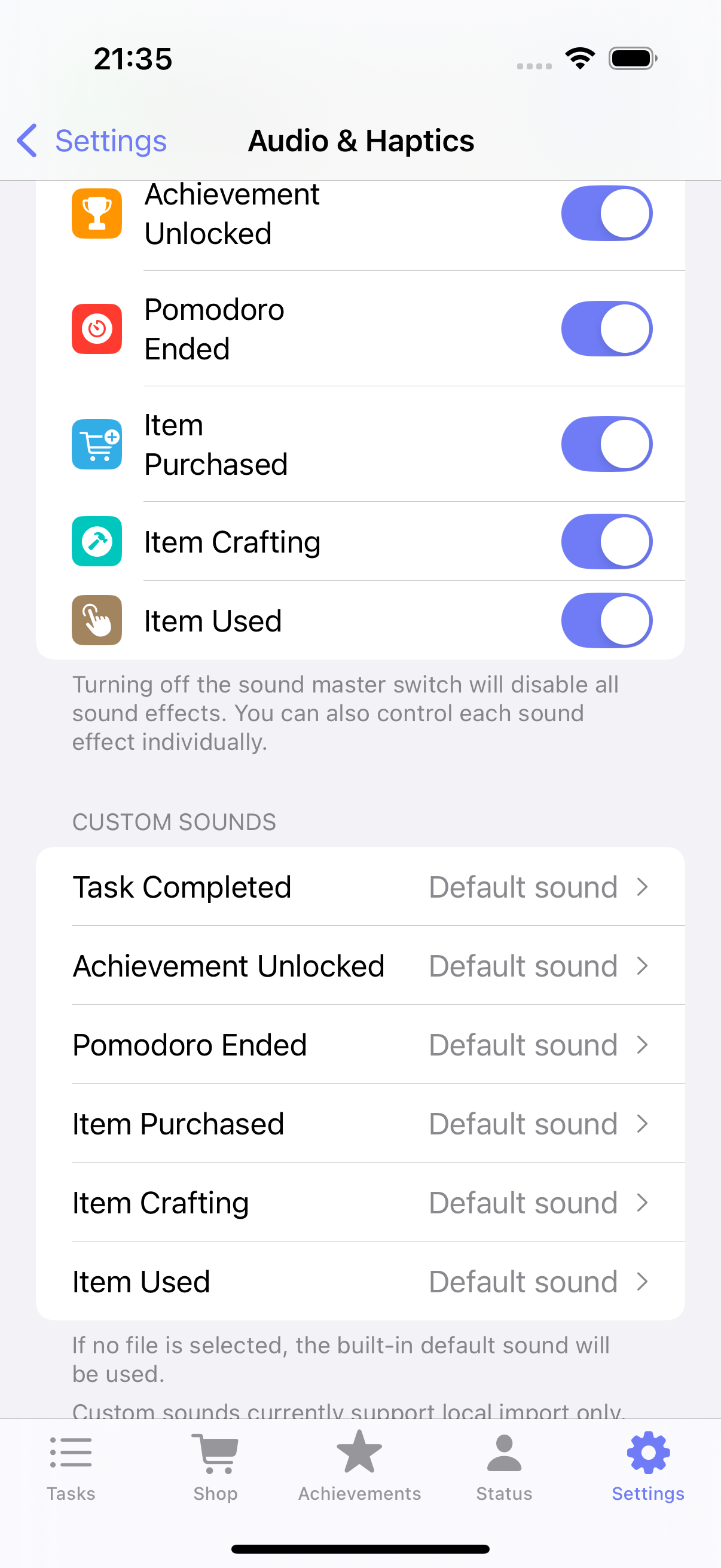
- efek suara aplikasi kustom untuk peristiwa kunci
- pengaturan efek suara penggunaan item terpisah
- kebebasan lebih untuk mencocokkan gaya umpan balik dengan rutinitas Anda
Contoh sederhana: Anda mungkin ingin suara yang lebih memuaskan saat menggunakan item reward, sambil menjaga penyelesaian tugas lebih tenang selama jam kerja.
4) Halaman status dapat mencerminkan prioritas Anda
Tidak semua orang menggunakan ulives dengan cara yang sama. Beberapa orang cek timeline dulu. Yang lain lebih peduli statistik fokus, atribut, atau refleksi. Urutan tetap membuat satu bagian aplikasi terasa pas sementara bagian lain selalu terasa sedikit meleset.
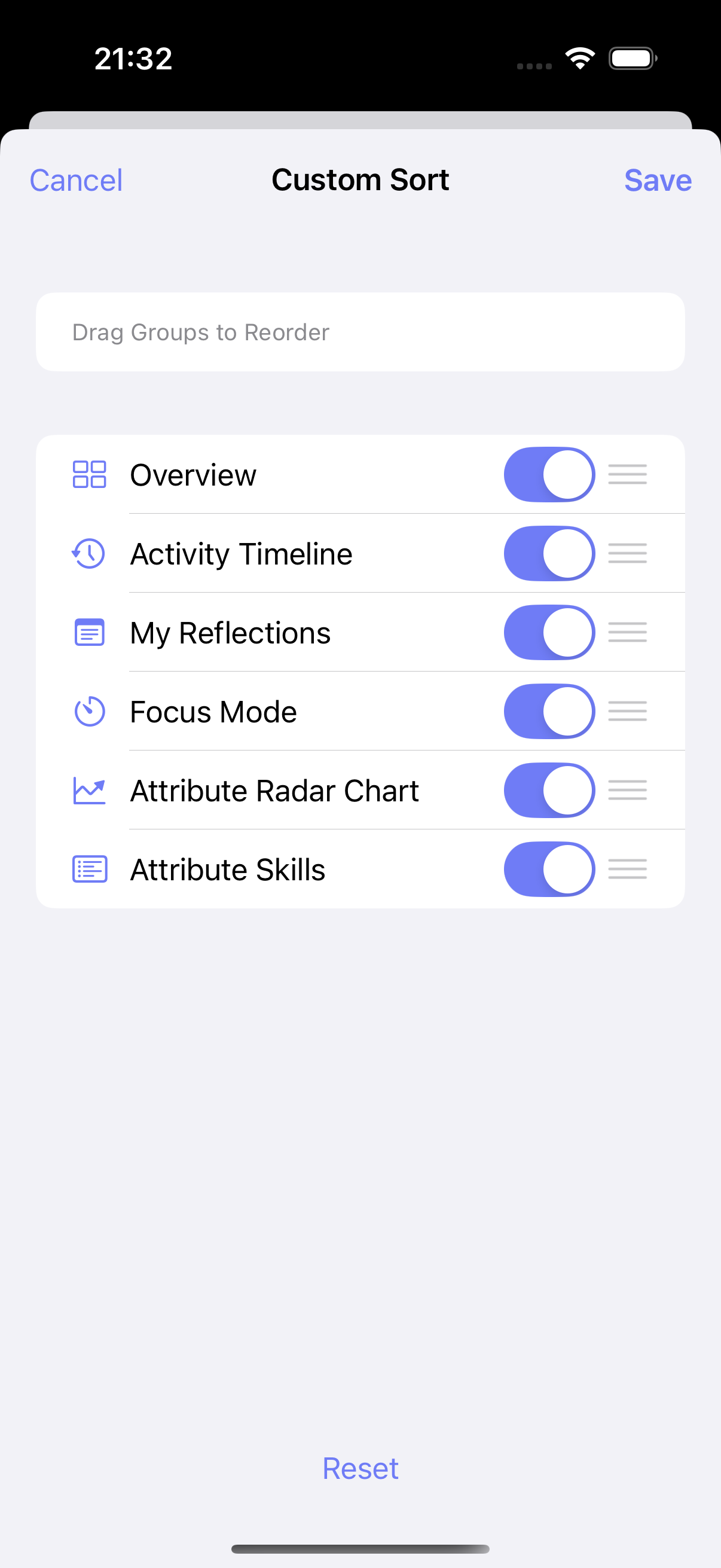
Di 1.7.0, halaman status mendukung pengurutan kustom. Anda dapat memindahkan bagian yang paling penting ke atas dan membuat layar overview terasa lebih seperti dashboard Anda sendiri.
Ini fitur sederhana, tetapi menyelesaikan gangguan nyata: harus scroll melewati informasi yang jarang Anda gunakan untuk mencapai bagian yang benar-benar Anda pedulikan.
Rilis lebih kecil, tetapi lebih usable
Itulah cerita ulives 1.7.0. Rilis ini berpusat pada beberapa ide praktis:
- tujuan hidup tidak boleh dipaksa ke satu format pencapaian kaku
- fokus harus dimulai dengan cepat dari tugas yang sudah Anda miliki
- suara dan tata letak harus menyesuaikan dengan orang yang menggunakan aplikasi
Jika Anda sudah menggunakan ulives, versi ini seharusnya terasa lebih mudah dijalani. Jika Anda mencari aplikasi produktivitas bergamifikasi yang dapat menangani tugas harian dan tujuan hidup jangka panjang, 1.7.0 adalah tempat yang solid untuk memulai.