Achievements overview
You might want to remember your first half marathon, keep a list of books to read, or count the days until a trip. Create an achievement for each goal and put related goals in an achievement list. You can mark a milestone complete yourself or let ulives track a goal using your task, focus, item, or attribute records.
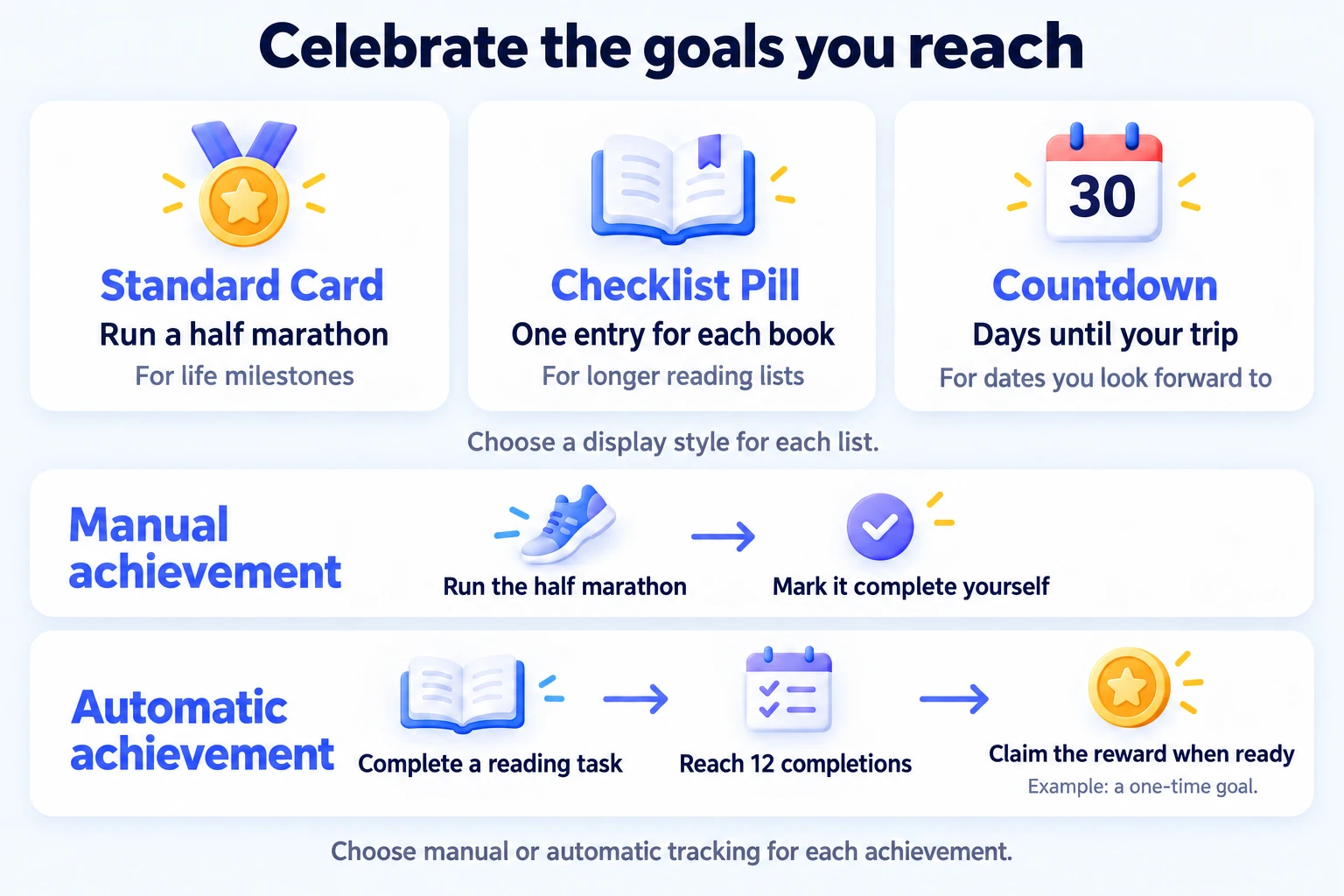
Choose a layout for your goals
The display style applies to the whole list. Choose one based on what you want to see when you open it:
| Your list | A useful display style |
|---|---|
| A few milestones, such as running a half marathon | Standard Card: each goal has its own card, with room to see automatic progress and claim rewards. |
| A reading wish list with many book titles | Checklist Pill: short titles fit into compact pills, and finished books get a checkmark. |
| Travel dates or an upcoming family reunion | Countdown: each entry shows how many calendar days remain until its date. |
You choose manual or automatic tracking separately for each achievement. For example, a reading list can contain manual entries for individual books and an automatic achievement for completing your reading task 12 times. Both use the list's chosen display style.
Create your first list
Lists and achievements are saved in the active profile on this device. Check that you are using the profile where you want to keep your goals.
- Open the Achievements tab, then Manage lists (the folder with a gear).
- Create a list, such as "Life goals", and leave its display mode on Standard Card.
- Save, open the list, and add a milestone you want to record.
If you cannot find an existing list, check the selected group or switch to the all-lists view.
Give yourself a reward for finishing a list
Suppose your "Life goals" list contains a few manual milestones. As you complete them, the header shows completed / total. You can set a list reward in the list settings; once progress reaches 100%, Claim becomes available if you have not already collected that reward.
Repeatable automatic achievements are excluded from both numbers. They can earn their own rewards repeatedly without affecting list completion. Manual achievements and non-repeatable automatic achievements count toward the list.
For example, put four manual book entries and one repeatable reading milestone in a list. After finishing two books, progress is 2 / 4, even if the milestone has unlocked three times. Finish the remaining two books to reach 4 / 4 and claim the list reward. Claim the milestone's rewards separately.
See how often you reach a goal
If you use a repeatable automatic reading milestone, open its details and find Completion Statistics below the current progress. It shows the average interval between unlocks, the last completion, and a day-by-day completion chart. You can use it to see how regularly you have been reaching that milestone.
These statistics are available for repeatable automatic achievements; manual and non-repeatable milestones do not have this section. The average interval needs at least two completed cycles, so it may show None at first. Completing a cycle and claiming its reward are separate: use Claim when a reward is ready.
Which features need Premium?
Standard Card lists are free; choose this style to save a list without Premium. Saving a list with Checklist Pill or Countdown, choosing a custom list color where offered, and creating or saving automatic conditions require Premium. You can still view existing automatic conditions without it. Membership is based on the status shown inside the app on this device.
Common questions
Why can't I mark an automatic achievement complete?
It unlocks when its conditions are met. Use Claim to collect the reward; the circle and long-press completion gestures are for manual entries. The automatic achievements guide explains where to claim in each display style.
Why does a list still show old progress?
After completing tasks or recording focus time, open the achievement list to check its progress. Opening a Countdown list can also complete manual entries whose target day has arrived. A closed list may still show an overdue entry as incomplete.