Loot boxes and random rewards
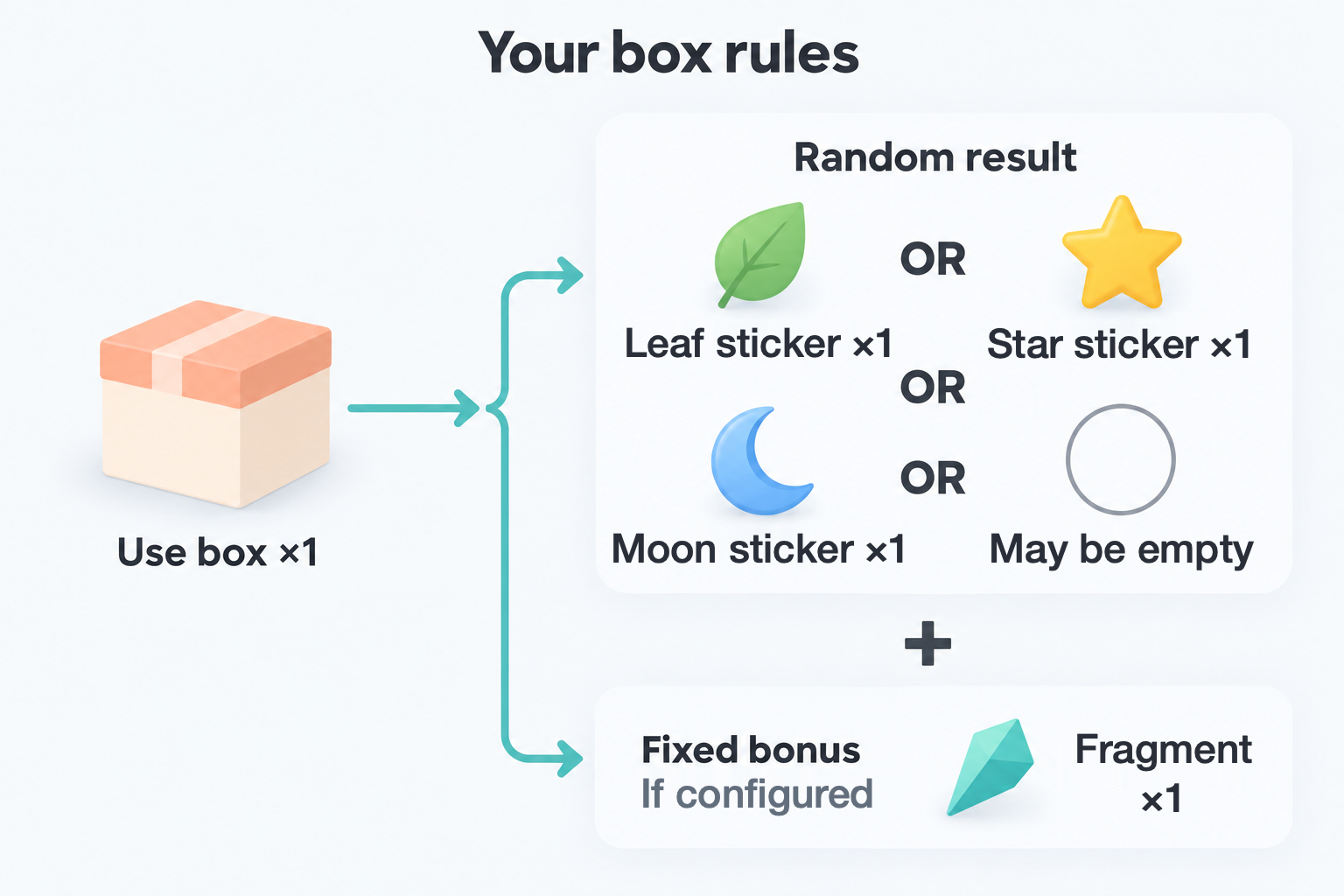
Reward a finished task with a sticker box, then use the box for a random collectible. You choose the items, quantities, and probabilities yourself. This is a rule you build with item use effects, not a built-in blind-box game.
Start with Items and inventory. Prices and quantities below are examples using your own in-app items, with no cash value or real-world payout. The Open box effect itself does not require Premium. If you later add recipes, see Crafting and exchanges for recipe setup and editing requirements.
Make a basic blind box
Create three reward items first: Leaf sticker, Star sticker, and Moon sticker. Turn off Usable if they are only collectibles. They do not need to be purchasable, and you do not need to own copies to include them as rewards.
-
Create a Sticker box. Decide whether to award it from tasks, sell it for your coins, or both. For this example, set a purchase price of 10 coins.
-
Enable Usable. In its usage effects, add Open box (shown as Loot Box in some effect menus).
-
Select the three reward items. Give each a fixed quantity of 1, then enter these probabilities:
Reward Quantity if selected Probability per box Leaf sticker 1 60% Star sticker 1 30% Moon sticker 1 10% -
Check that the total is 100%. Confirm the effect, then save the item.
-
Buy one box. Your coins decrease by 10 and your box quantity increases by 1. Open it in Inventory and use 1.
Buying only gives you the box; it does not open it. Using that box consumes it and grants one of the three stickers. The percentages choose a reward row; they do not mean that all three rewards are checked and paid separately.
Probabilities, empty results, and repeated draws
The editor uses percentages, not relative weights. A table containing 60%, 30%, and 10% covers the whole draw. If you change the last row to 5%, the total is 95% and the remaining 5% grants nothing. You do not need to create an empty-result item. Keep the total at or below 100%.
A total of 100% guarantees a selected row, not every listed reward or a particular rare item. To ensure the selected row actually adds something, use positive quantities: a zero quantity adds nothing, while a negative quantity deducts the selected item. Start with fixed positive quantities before experimenting with random quantity ranges.
Use 3 boxes with one Open box effect and you get 3 draws, consuming 3 boxes. Each draw uses the same configured table. A reward is not removed from the table after you get it, so repeats are possible both within a batch and across separate uses. The reward items are added to Inventory; they are not taken from a finite stock of prizes.
A 10% Moon sticker chance does not guarantee one Moon sticker within ten boxes. There is no built-in pity counter or duplicate protection. Keep box costs low enough that an unwanted or empty result is acceptable, and choose a fixed reward or recipe when you want a predictable outcome.
Add a fixed bonus to every box
If you want something to be awarded even when the random draw is empty, create a bonus item, such as a fragment. Edit the box and add a separate Items effect that increases that item by 1, with randomness off. Keep the existing Open box effect.
Every successful use consumes the box, runs the random draw, and adds the fixed bonus. The bonus still works if the random table has an empty-result chance; it is not another probability row.
The bonus remains an ordinary inventory item. Spending or discarding it reduces your stock. Adding a bonus does not change the draw probabilities or create a pity counter. For a card pack that gives a fragment and a recipe that exchanges five fragments for a Foil card, see Collect cards, then exchange spare copies.
Common questions
Why can’t I save the box effect?
Check that you have selected reward items, each probability is positive, and the total does not exceed 100%. Check the quantity fields too. A total below 100% is allowed; the unused portion means no random reward.
Can I recover materials after an unlucky draw?
An empty or unwanted random result is still a completed use, so it consumes the box or bait. Purchases and item use do not have a one-step undo. Check Inventory and activity records before retrying after an interruption, and test with one low-cost item before processing a batch. Back up your data before major changes to recipes or rewards.